Linux, Refined
A free operating system for your PC: fast, secure and easy from the first boot. The modern alternative to Windows, built on the rock-solid Debian base.
Free forever · No account needed · Try it live before you install
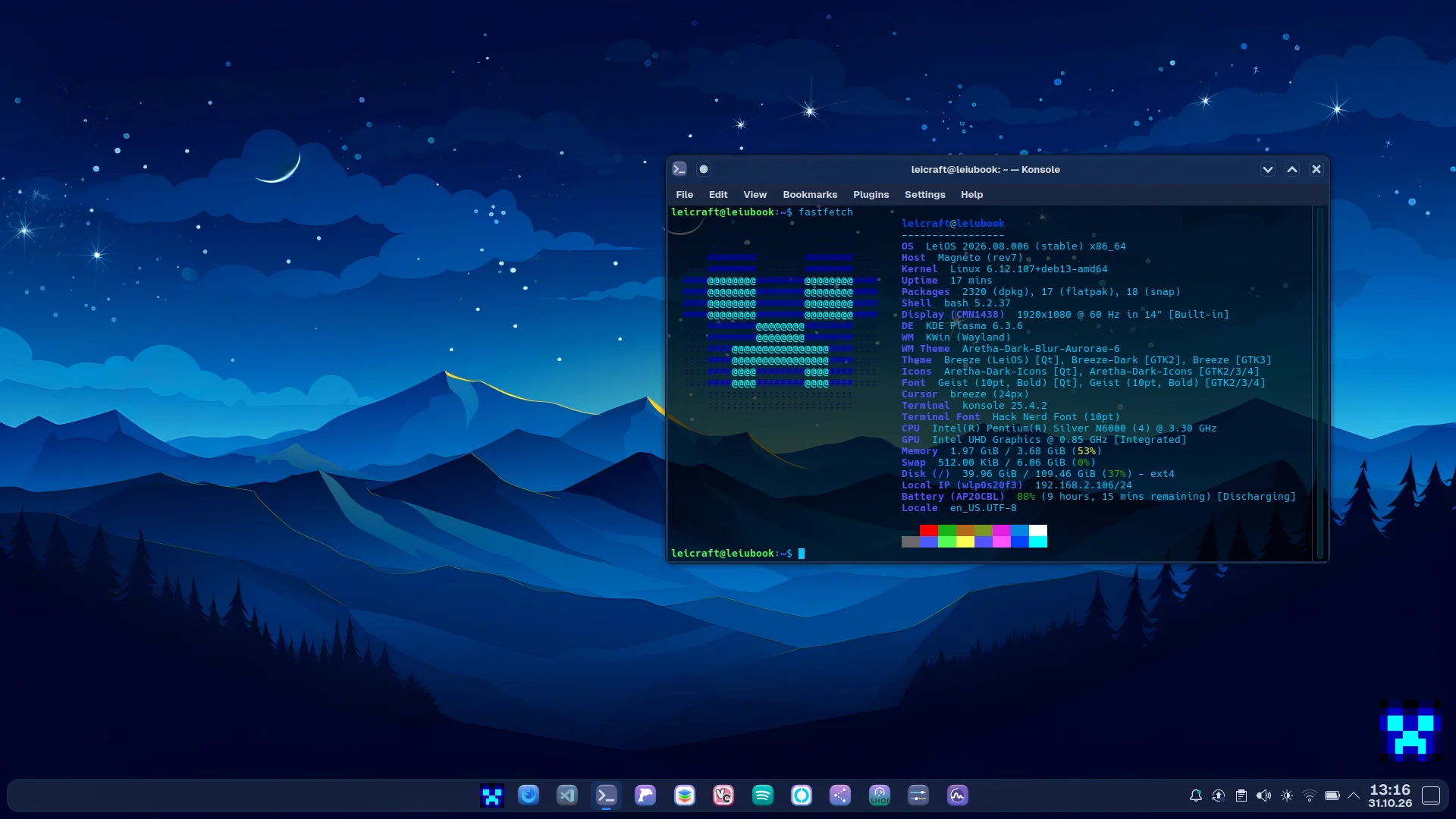
An operating system that gets out of your way
LeiOS is a complete operating system. It replaces Windows on your computer, or runs right next to it. You use it the way you use any computer: browse the web, write documents, watch videos, play games, write code.
Under the hood is Debian, the Linux distribution that runs a huge part of the world's servers. On top, LeiOS adds everything you would otherwise set up by hand: a polished KDE Plasma desktop with its own look, firmware for your hardware, everyday apps, performance tuning and its own package repository.
Debian inside
Debian is one of the oldest and most trusted Linux distributions. LeiOS uses its kernel, its packages and its security updates.
Polished out of the box
A designed desktop, drivers and firmware, everyday apps and sensible tuning: ready the moment the installer finishes.
Always moving forward
LeiOS improvements arrive as tested releases through the normal updates. No reinstalling to get the latest LeiOS.
Why Choose LeiOS?
Everything you need is there from the first boot, and nothing you don't.
Feels familiar
A taskbar, a start menu and windows you can snap side by side. If you have used Windows, you already know your way around.
An app store built in
Discover installs apps with one click: Spotify, Discord, Steam, VS Code and thousands more from Flathub, the Snap Store and Debian.
Secure by default
Debian security updates, Secure Boot support and optional full-disk encryption. Apps come from trusted sources, not random websites.
Fast, even on older PCs
Compressed memory keeps LeiOS responsive, and an optional tuning package helps computers with only 4 GB of RAM.
Hardware just works
Firmware for common Wi-Fi, graphics and sound chips is included, so most computers work without hunting for drivers.
Ready for work
LibreOffice, Firefox, an email client, a PDF viewer and GIMP are installed from the start. Opens Word and Excel files.
Developer ready
Git, compilers, Firefox Developer Edition and a terminal with a Nerd Font are there on the first boot.
Free and open
No license fee, no ads, no account and no data collection. LeiOS's own code is open source under the AGPL.
Who is LeiOS for?
LeiOS is made to be approachable for beginners and comfortable for experts.
Windows users
Windows 10 is out of support and your PC can't run Windows 11? LeiOS keeps it safe and fast, for free.
Switching from WindowsEveryday users
Browsing, office documents, email, photos, music and video calls, without the clutter and the ads.
What's includedDevelopers
A Debian system with the tools already set up, plus a repository where you can publish your own packages.
For developersOlder computers
A 64-bit PC from the last decade is enough. LeiOS has no TPM requirement and gives older laptops a second life.
System requirementsFrom download to desktop in four steps
Installing LeiOS takes about half an hour. You can try it first without changing anything on your computer.
- 1
Download
Get the LeiOS image. It's free and about 3 GB.
Learn how - 2
Create a USB drive
Write the image to a USB stick with a free tool like balenaEtcher or Rufus.
Learn how - 3
Try it live
Start your PC from the stick and try LeiOS without changing anything.
Learn how - 4
Install
Double-click Install LeiOS. Replace Windows or keep it next to LeiOS.
Learn how
Join the Community
Connect with other LeiOS users, get help, and help shape what comes next.
Ready to Try LeiOS?
Start it from a USB stick and look around. If you like it, install it in a few clicks.